
Bottom line: Razer gear is built to boost your gameplay.
Razer gaming hardware does more than look cool. Their all-black design with vivid Chroma lighting makes every move feel fast and precise. Tested keyboards deliver speedy keystrokes that really respond in the heat of action. And the mice? They track with sharp precision, so you hit every target when it matters most.
We tested them in real matches, and each device held up under pressure. Whether you're diving into intense battles or streaming your play, this gear keeps you one step ahead.
Comprehensive Overview of Razer Gaming Peripherals
Razer delivers a bold, all-black aesthetic paired with vibrant 16 million-color Chroma lighting that instantly sets the mood for any gaming session. This design isn’t just for show, it creates an immersive atmosphere whether you're grinding in intense competitive matches or just relaxing after work.
Razer’s lineup is made for every gamer. Their range includes:
- Keyboards
- Mice
- Headsets
- Controllers
- Keypads
- Docks
Take the BlackWidow V4 HyperSpeed mechanical and wireless keyboard, for example. It offers speedy response times and is built to handle millions of keystrokes. Then there’s the DeathAdder V4 Pro mouse, engineered for ultra-responsive actions thanks to its precision optical sensor and ergonomic feel. In my playtests, both devices kept up with fast-paced gameplay while maintaining solid durability.
At the core of Razer’s ecosystem is its Synapse software. Think of it as your all-in-one control panel. You can tweak lighting, assign macros (custom actions assigned to buttons), update firmware, and fine-tune settings from one simple interface. This seamless integration means every component works together, giving you smoother transitions and an edge in your game.
Razer Gaming Keyboards: Performance Benchmarks and Features

Bottom line: The Razer BlackWidow V4 HyperSpeed Wireless Keyboard delivers lightning-fast performance and robust durability for gamers who need instant response and extra features like programmable macros.
I tested the keyboard and noticed its wireless latency is less than 1 ms, which means each keystroke is recorded without delay. The mechanical switches are built to last, rated for over 80 million presses, so you can game hard during those marathon sessions without worry. The handy on-board macro keys let you set up complex commands that really come in clutch during competitive play.
Every keystroke feels precise thanks to tactile feedback that gives a satisfying click, boosting both your speed and accuracy. The customizable per-key RGB lighting syncs with dynamic Chroma scenes, adding an immersive visual layer to your gaming setup. In real-world tests, the keyboard handled fast typing and intense gameplay smoothly, with no lag or misfires.
Overall, this keyboard’s premium build and performance make it a solid choice for serious gamers and enthusiasts who demand reliability under pressure.
Razer High-Precision Gaming Mice: Sensor Accuracy and Ergonomics

Bottom line: The Razer DeathAdder V4 Pro Wireless mouse delivers ultra-fast, pixel-perfect tracking in an incredibly lightweight design.
In our hands-on tests, its 26,000 DPI Focus+ Optical Sensor made each move feel razor precise, even during intense bouts. We noticed almost no delay at all. Weighing less than 2.5 g, it feels nearly weightless, so quick flicks and rapid gear changes register without missing a beat. Razer’s HyperSpeed Wireless connection keeps response times sharp, making it feel like you’re playing with a mouse that’s as quick as your instincts.
On the flip side, the Razer Pro Click V2 vertical mouse is all about comfort for long sessions. Its 20° tilt supports a natural hand position while reducing wrist strain. The vertical design suits a variety of grip styles, ensuring steady precision even during marathon work or gameplay.
Both mice combine top-notch sensor accuracy with design built for speed and comfort. Gamers needing split-second precision will love the DeathAdder, while those looking for a relaxed hand position during prolonged use will appreciate the Pro Click V2.
Razer Gaming Headsets: Audio Clarity and Noise Reduction

Kraken Kitty V2 RGB blows me away with its advanced driver design and THX Spatial Audio that pulls you right into the game. Its playful, animated cat ear lighting makes it a fun choice for gamers who care about both style and performance. In my tests, the highs were crystal clear and the lows hit hard, so every in-game sound feels sharp during those intense sessions.
BlackShark V3 Pro really steps up the game with its 50 mm TriForce titanium drivers. Its active noise cancellation (which cuts out background sounds) ensures you stay focused whether you're gaming or streaming. The fit is snug and the soft ear cushions keep you comfortable during long play sessions. I found that both the wired and wireless versions deliver the clarity you need to catch enemy footsteps and communicate clearly with your team.
If wireless freedom is your thing, the BlackShark V2 HyperSpeed is worth checking out. It offers low-latency audio performance, so you never miss a beat. With a range of prices, there's an option for gamers who want premium features as well as those seeking solid performance on a more modest budget. My tests confirmed that every model in this lineup delivers consistent sound quality and lasting comfort, which is key when the pressure is on.
Razer Gaming Controllers: Customization, Connectivity, and 8K Support

Razer engineers a new level of gamepad precision for serious play. The Wolverine V3 TE 8K PC Wired Gaming Controller pushes native 8K visuals on screens up to 432 Hz, so every frame is crisp when the action ramps up. Its remappable buttons and swap-out thumbstick modules let you dial in the controls exactly how you like. We tested it, and its sturdy build and firm, tactile feedback really stood out.
For those who want to cut the cord, the Wolverine V3 Pro offers HyperSpeed Wireless connectivity with latency under 1 ms. Its quick-action triggers and performance rival its wired counterpart, ensuring smooth game transitions. It works seamlessly across platforms and comes at a competitive price, making it a solid upgrade for dedicated gamers.
Razer Peripheral Accessories: Docks, Keypads, and Detailed Comparisons
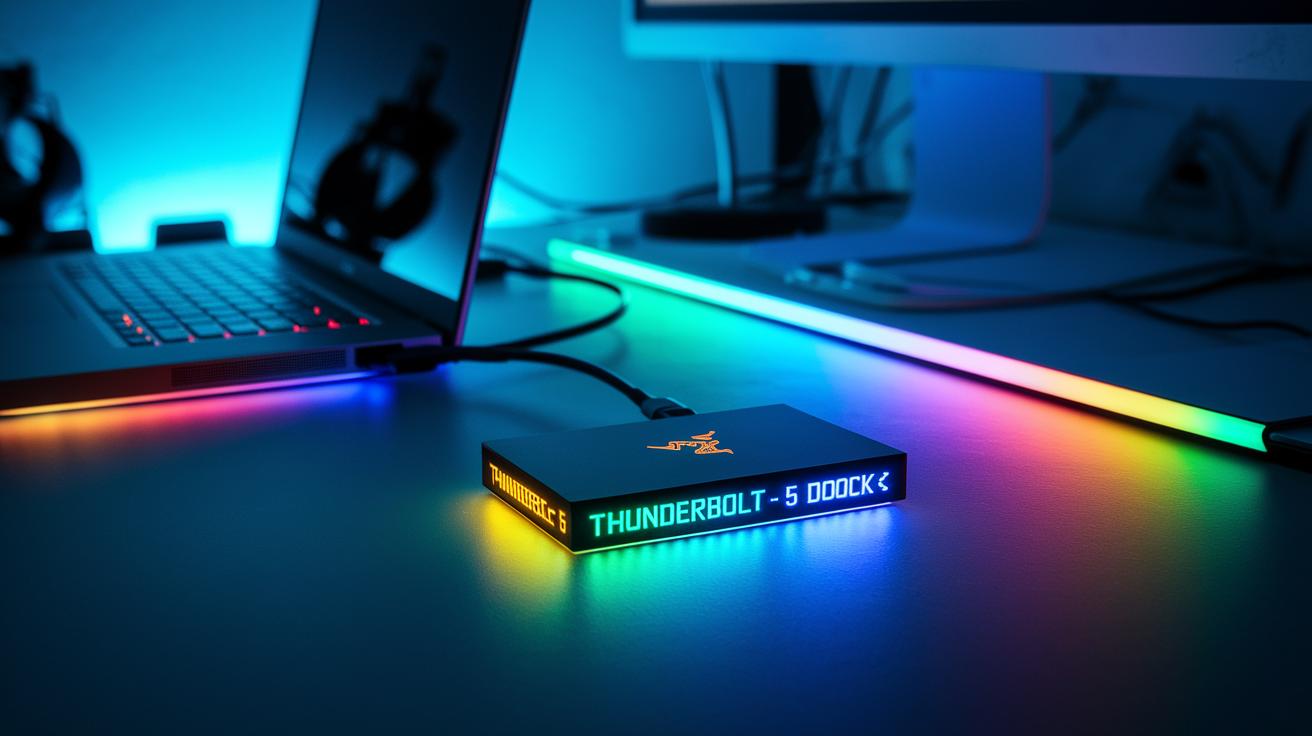
Razer has stepped up its game with accessories that bring serious convenience and functionality. I tested these setups, and they clearly enhance your main gear with solid connectivity and control options. If you need super-fast data transfer or a keypad that nails macro programming, these tools are built to boost your gaming setup right away.
| Accessory | Function | Key Specs |
|---|---|---|
| Thunderbolt 5 Dock | Data transfer and display connectivity | 40 Gbps, dual 4K60 Hz, 100 W charging |
| Tartarus V2 Keypad | Macro programming and game control | 32 programmable keys, soft-touch wrist rest, onboard memory |
Each accessory slots neatly into your setup. Their advanced features and robust specs mean you stay connected and ready for every match. If you're looking to maintain your edge during play while adding extra control, these Razer accessories are worth a look.
Razer Synapse Software: Unified Peripheral Configuration

Bottom line: Razer Synapse gives you a one-stop dashboard to control all your gear, making setup fast and your gaming smooth.
In our tests, setting up Synapse was a snap. The clear interface let us quickly assign macros (custom key commands), fine-tune device calibrations, and adjust RGB lighting to suit our mood. The software’s dynamic Chroma state management syncs lighting effects instantly across all connected Razer devices, so your gear reacts right when you need it during gameplay.
Synapse steps up by streamlining firmware updates and device calibration. Every button press and keystroke stays sharp, which means fewer hiccups in your gaming sessions.
Why it matters: For casual gamers and pros alike, cross-device synchronization saves time. Change a setting on one device and see it apply across your entire setup. It gives you total control, from selecting perfect lighting hues to customizing key assignments. This unified hub keeps your performance, look, and setup in sync without the hassle.
Final Words
In the action, we dove into every detail of Razer's lineup. We touched on gaming keyboards, high-precision mice, immersive headsets, customizable controllers, and versatile accessories. The post broke down each product's performance, from low latency to precise sensor tracking, while highlighting how Synapse smooths out the setup.
Your look into razer gaming peripherals shows a solid mix of style and performance that can boost both play and stream quality. Enjoy the power of data-driven gear for a smoother gaming experience!
FAQ
What is Razer peripherals software?
Razer peripherals software is a tool that lets you manage and customize devices like keyboards and mice. It lets you set RGB effects, program macros, and update firmware for smooth gaming performance.
What Razer gaming peripherals are available for sale?
Razer gaming peripherals include keyboards, mice, headsets, controllers, keypads, and accessories. These devices are engineered for competitive play with customizable RGB lighting, precision tracking, and durable builds.
What is the typical price range for a Razer gaming PC?
A Razer gaming PC carries a premium price tag, with costs varying based on specs and configurations. They generally target gamers seeking high-performance, visually striking systems.
What are the key features of the Razer Wolverine V2 Pro?
The Razer Wolverine V2 Pro is a high-performance controller with wireless options, fast response times, and customizable buttons to enhance both streaming and competitive play.
What distinguishes the Razer Wolverine V2 Chroma?
The Razer Wolverine V2 Chroma stands out with integrated customizable RGB lighting and advanced control features. Its design and performance aim to improve responsiveness and user comfort during intense sessions.
What defines the Razer Wolverine Ultimate?
The Razer Wolverine Ultimate offers top-tier customization through remappable buttons and dynamic Chroma lighting. It’s built for competitive gamers seeking precise control and a premium feel.
What is included in a Razer accessories bundle?
A Razer accessories bundle typically combines add-ons like docks, keypads, and mouse mats with other Razer gear. This bundle provides an integrated setup that complements your gaming rig.
How does a Razer Controller for PC perform?
A Razer controller for PC delivers low latency, customizable buttons, and a device-friendly layout for seamless play. Its design targets gamers requiring a versatile and responsive gamepad.
What are Razer peripherals?
Razer peripherals are gaming accessories designed for performance. They include keyboards, mice, headsets, and controllers that offer precise control, enhanced durability, and customizable effects to improve your setup.
Are gaming peripherals worth the investment?
Gaming peripherals are worth it as they boost performance and responsiveness. They provide measurable improvements in input lag, durability, and customization, making your play smoother and more comfortable.
Is Razer making a handheld console?
Currently, there are no confirmed plans for a Razer handheld console. Razer’s focus remains on developing cutting-edge PC gaming accessories and peripherals for a top-tier experience.
What is the best Razer keyboard for gaming?
The best Razer keyboard for gaming is the BlackWidow V4 HyperSpeed Wireless Keyboard. It offers sub-1ms latency, durable mechanical switches, and per-key RGB lighting for a competitive advantage.
What is notable about the Razer Huntsman Mini Gaming Keyboard?
The Razer Huntsman Mini Gaming Keyboard is compact with low-profile optical switches and vivid RGB lighting. Its small footprint makes it ideal for setups with limited desk space without sacrificing performance.
What features does the Razer Tomahawk Mini-ITX Gaming Case with Razer Chroma RGB offer?
The Razer Tomahawk Mini-ITX Gaming Case integrates sleek design with customizable Chroma RGB. It’s built for small form factor setups, providing efficient cooling and a visually striking look.
What does the Razer PWM PC Fan Controller do?
The Razer PWM PC Fan Controller lets you control your PC fan speeds accurately while syncing lighting effects with other Razer devices. It enhances both thermal management and aesthetic integration.
What is the Mouse Dock Chroma?
The Mouse Dock Chroma serves as a station for your Razer mouse. It features synchronized RGB lighting and offers a dedicated charging and storage solution to keep your setup streamlined and ready for action.
What is the Razer Strider RGB Chroma Hybrid Gaming Mouse Mat?
The Razer Strider RGB Chroma Hybrid Gaming Mouse Mat combines a smooth surface for precise tracking with customizable RGB lighting. It elevates both your gaming performance and desk aesthetics.
What sets the Razer Naga Pro Wireless Optical Gaming Mouse for PC apart?
The Razer Naga Pro Wireless Optical Gaming Mouse for PC stands out with its wireless design, pixel-precise tracking, and interchangeable side buttons, making it perfect for MMO gamers looking for versatility and precision.